How to Print Your Booked Retiring Room Ticket again?
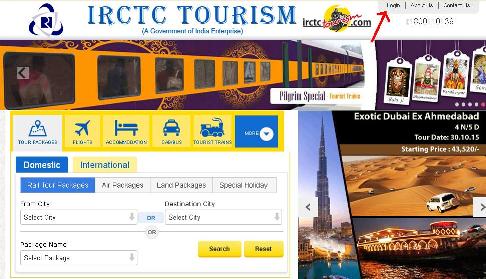
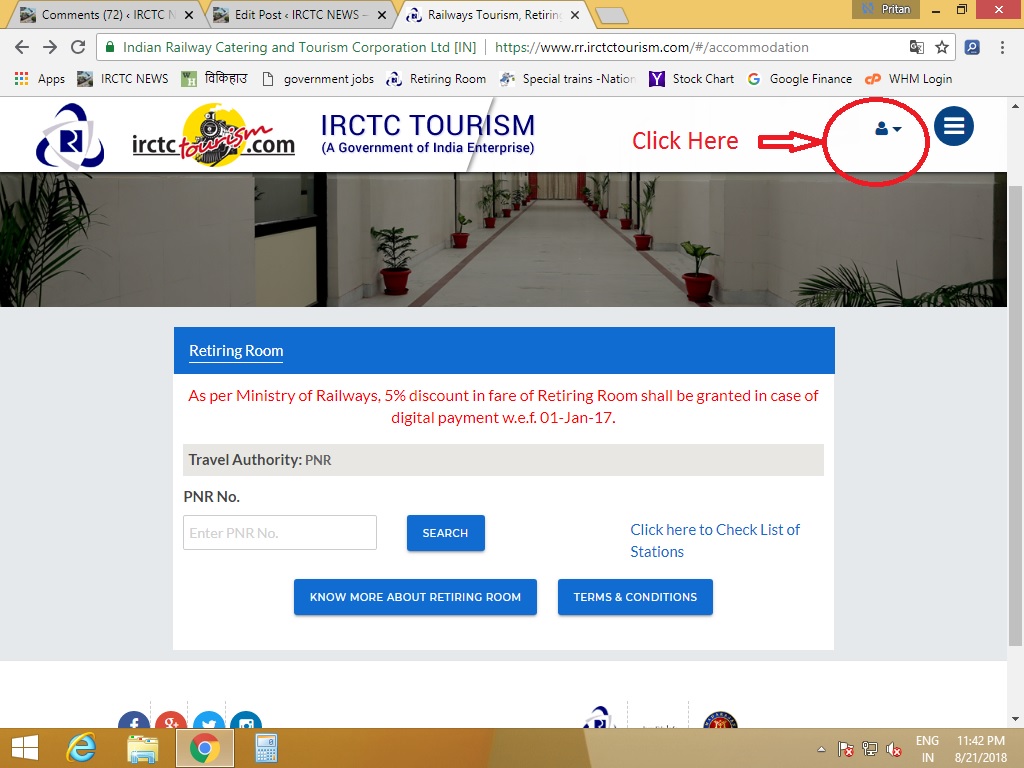
Please visit www.irctctourism.com website for Print Your Booked Ticket. After Click on above link you will be on below picture Page.
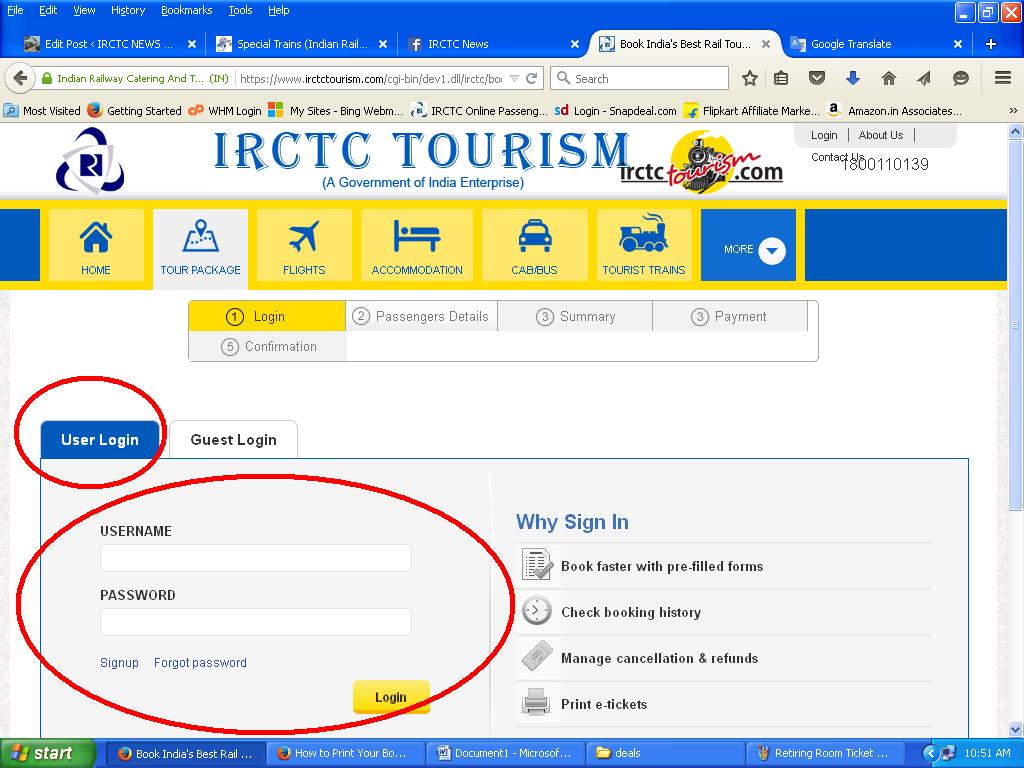
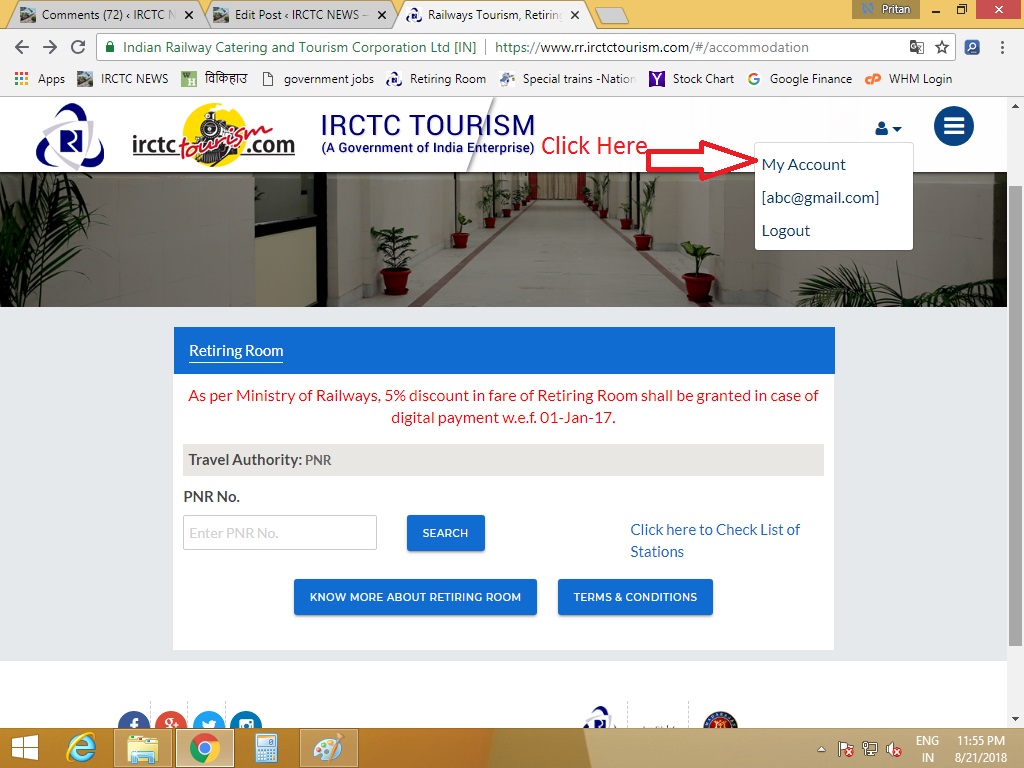
Login with your user id and password if you have booked with your registered user account. Follow the below Picture for login.
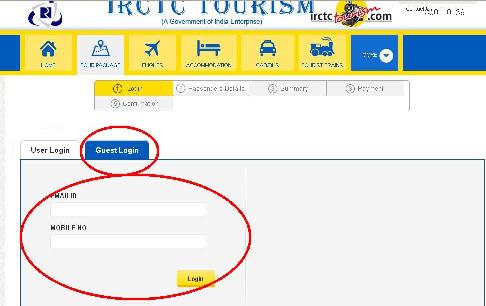
If you have booked with guest login then login with your Email id and Mobile no. Follow the below Picture for Guest login as look like same.
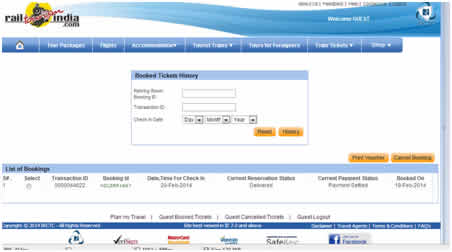
After login scroll down the page and select “Booked Ticket” option. Page Option Look like below Picture.
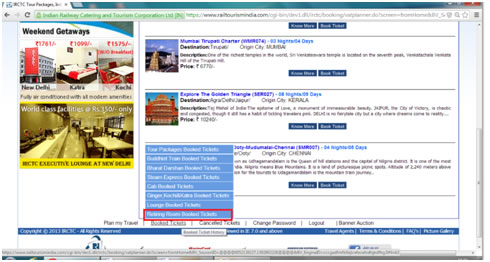
Then select “Retiring Room Booked Ticket Option”. Select your ticket which is to be Print and click on the cancel ticket option Page Option Look like below Picture.
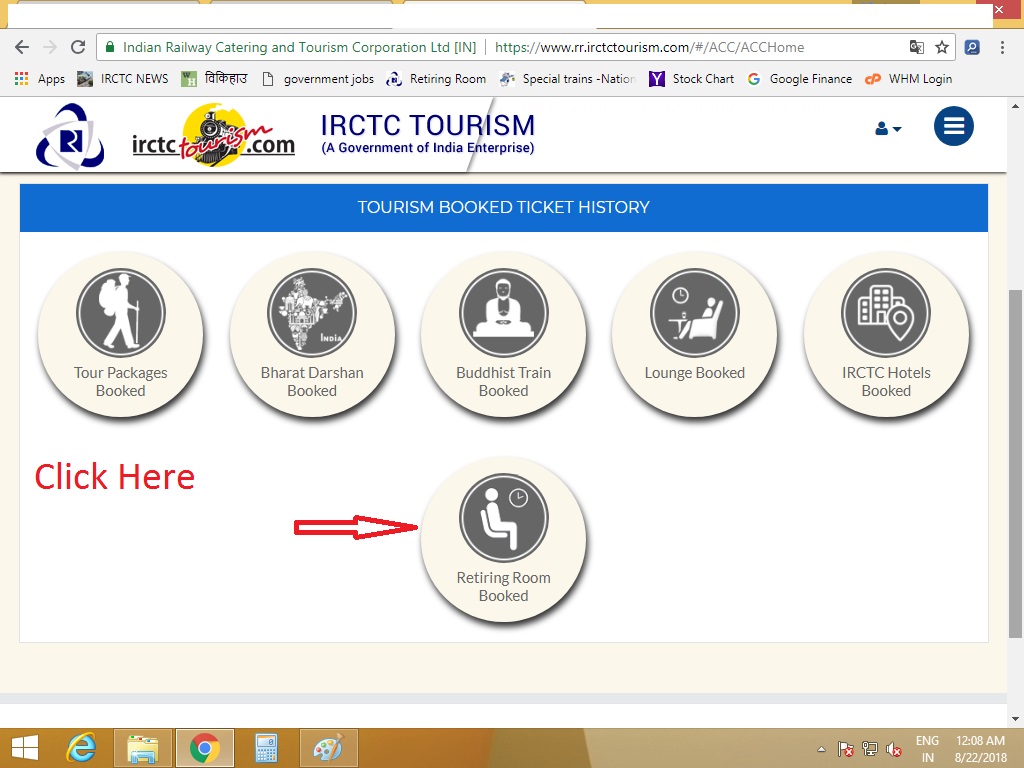
Still i you found Problems like How to Book Retiring Room or How to Print Booked Room Ticket or How to Cancel Booked Retiring Room Or any Payment issue to nook Retiring Rooms etc Please Knowing Us By Comment. यदि कोई परेशानी आ रही हैं तो हमें कमेंट करे.
Please check your Booking History or Email at retiringroom@irctc.co.in or call at 1800110139 between working Hours.
Pingback: Online Railway Stations Retiring Rooms list with Email ID Contact details - IRCTC NEWS
I have booked retiring room in Nagpur. I am unable to find my reservation in Booking history. I have e-mail on my phone. Is print out required or I can follow the same procedure as Indian Railways require for travel i.e. Details on mobile are acceptable in lieu of print out.
after booking of retiring room at hyderabad for dt 11.02.18 to 13.02.18 the cnfirmation was not came also no receipt came & writen your mony will be return if not available
Login and Check again your Last Transaction Status,
If still Problem Not Solved Contact on Given Numbers.
Pingback: Book All Type Retiring Rooms Surat Railway Station
Pingback: Retiring Rooms at Chhatrapati Shivaji Terminus details - IRCTC NEWS
Pingback: Retiring Room at Vasai Road BSR Railway Station - IRCTC NEWS
Pingback: Cheap Retiring Rooms at New Delhi Railway Station - IRCTC NEWS
Very nice guidance
Thank you 🙂
In rail sarathi app..after login there is no option showing to print out retiring room booking
I booked retiring room by my phone.but i don’t get payment online i would payment off line.but i confirmation the room.but don’t get any printout.what can I do?
Retiring room guest login se bhi open nahi ho raha.
Hoga, Click on Guest login apna email ID aur Mobile Number Enter Karo.
Good Luck
Please Share,Like and Support Us by Click on Support Us Button.
IRCTC Information Portal.
I am unable to take print of retiring room ticket. I have printed it from mail. Is it valid
koi fayda nahi in steps ka…pahle to retiring room book karne mein mujhe 4 ghante lag gaye,always got log out automatically. nd kai baar try ke baad jab book hua to payment ke baad log out and uske baad se mai last 5 hrs se login kar k booked history dekhne ki kosis mein laga hoon par,nope…
re book kar raha hoon to show kar raha hai ki already booked but booked history khul hi nahi raha. ab samjh aaya ki railway ghaate mein kyu chal rahi hai.
May some technical Issue that time Try Again After Some time you may contact retiring officer through retiringroom@irctc.co.in or call at 1800110139 between 10am to 6pm
Dear Sir,
This is to inform you that I have booked two retiring rooms at New Delhi. But completing all procedure & after make the payment through credit card, the server of IRCTC was down. Resulting I cannot take any print out for my retiring room booking. On the other hand, payment also debited from my AC by the bank.
After server was ok, I again put my train ticket PNR no., showing that the YOUR PNR ticket has already exists.
Please inform us how can reprint my retiring room booking.
Regards,
SANTANU KR. PAUL
May some technical Issue that time Try Again After Some time you may contact retiring officer through retiringroom@irctc.co.in or call at 1800110139 between 10am to 6pm
I booked a retiring room but could not take its printout immediately.Now i am trying to get the same following suggested steps but the site abruptly goes out of reach after log in id and pass word are put in place.Since due process remains incompleted despite multiple attempts for technical reasons,it is requested to send me confirmation voucher via email on my email address. In this context,TID 000210622 Ref No.VSKPRR608989 be referred to.
Thanks
Please Contact retiring room officials on Below method:
Email at retiringroom@irctc.co.in or call us at 1800110139 between 10am to 6pm
actually this is very useful. I lost 4 hrs.
Thank you
Dear sir,
I booked retiring room but not take a printout. now try it as guest but after entering all process its back on login page from booked retiring history page.
What i can do further for take a print of booking.
As you said you already booked then follow this post steps to get Print Out
hello sir….
Aaj maine reirement room book kiya tha and payment bhi kar diya tha….bt aab tak koi confirmation nhi aya. but “IRCTC RETIRING ROOM txn 884249″sbi sms mein dkha waha par aa payment status raha hai settlement requested and room buk nhi huya bt account se payment ho gyi…pls tell us what to do nw
Check in Booking Status If Not Book You will Get Refund, For more Info Email or call to retiring room officials.
hello sir….
Aaj maine reirement room book kiya tha and payment bhi kar diya tha….bt aab tak koi confirmation nhi aya
booked tickets mein dkha waha par aa payment status raha hai settlement requested and room buk nhi huya bt account se payment ho gyi…pls tell us what to do nw
Don’t Worry Contact the Retiring room department they will care and solve your query……for contact details Click this link https://irctcnews.in/online-booking-indian-railways-retiring-room/
aap retiring department se baat kariye wo apko jankari uplabadh karayenge……..retiring room department ke liye is link per click kare https://irctcnews.in/online-booking-indian-railways-retiring-room/
Pingback: Some Tips for Book Retiring Rooms of Indian Railways - IRCTC NEWS